My own projects / SNAFU Studio
A little space.
A lot to play with.
SNAFU Studio is a music-making program I built: an arrangement workspace and a DJ mixer, with a familiar, tactile interface.
Start somewhere
A session, not a blank wall.
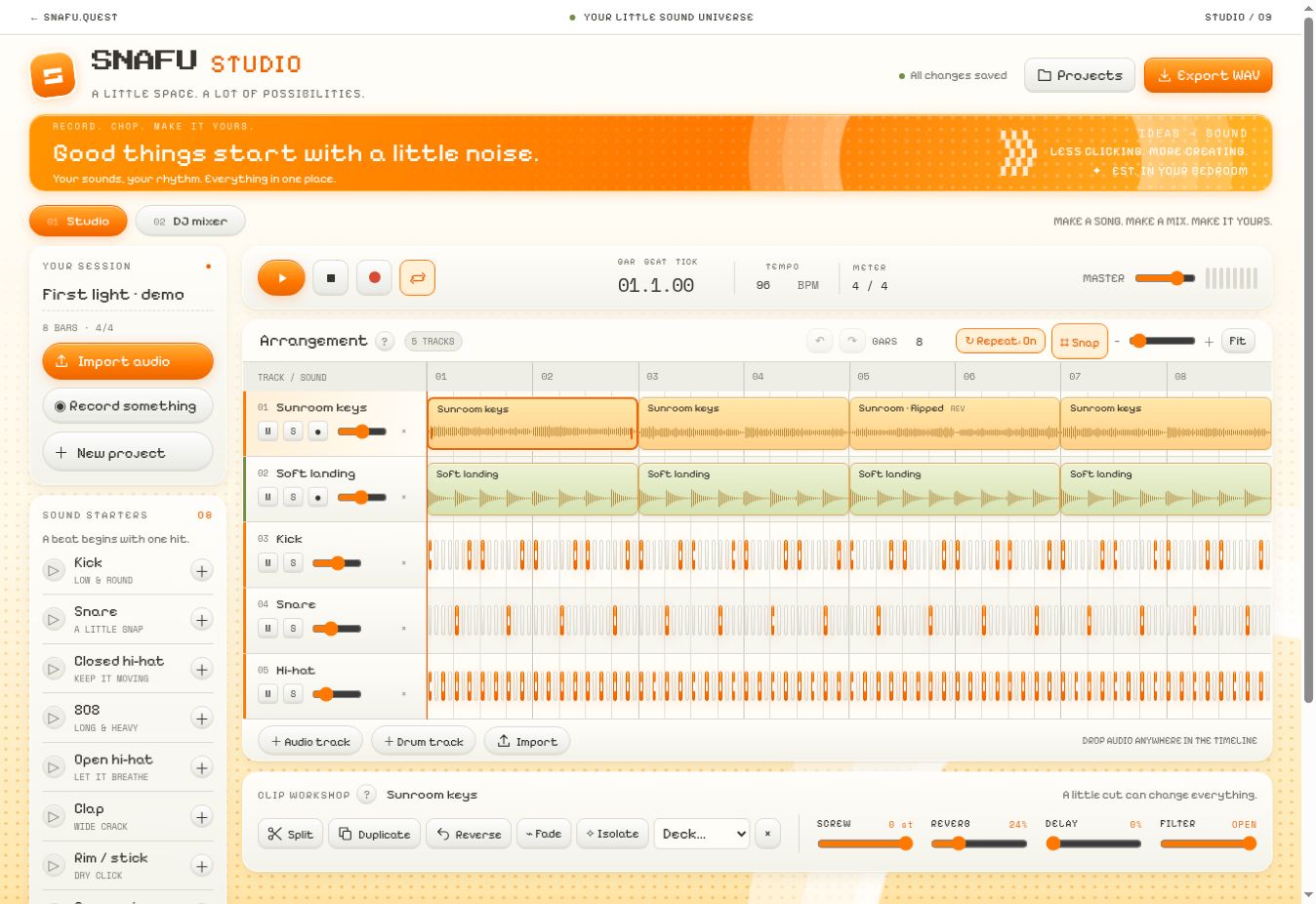
The visible demo opens with five tracks across eight bars. The timeline brings audio clips and drum steps into one workspace.
Make it your own
Tools beside the thing they change.
Split, duplicate, reverse, and fade controls live in the clip workshop. Volume and track controls stay beside their tracks.
Find your rhythm
Small controls. Clear jobs.
Tempo, looping, snapping, and zoom make the workspace adjustable. Sound starters offer a way into the program without importing a file.
Two workspaces
Arrange, then mix.
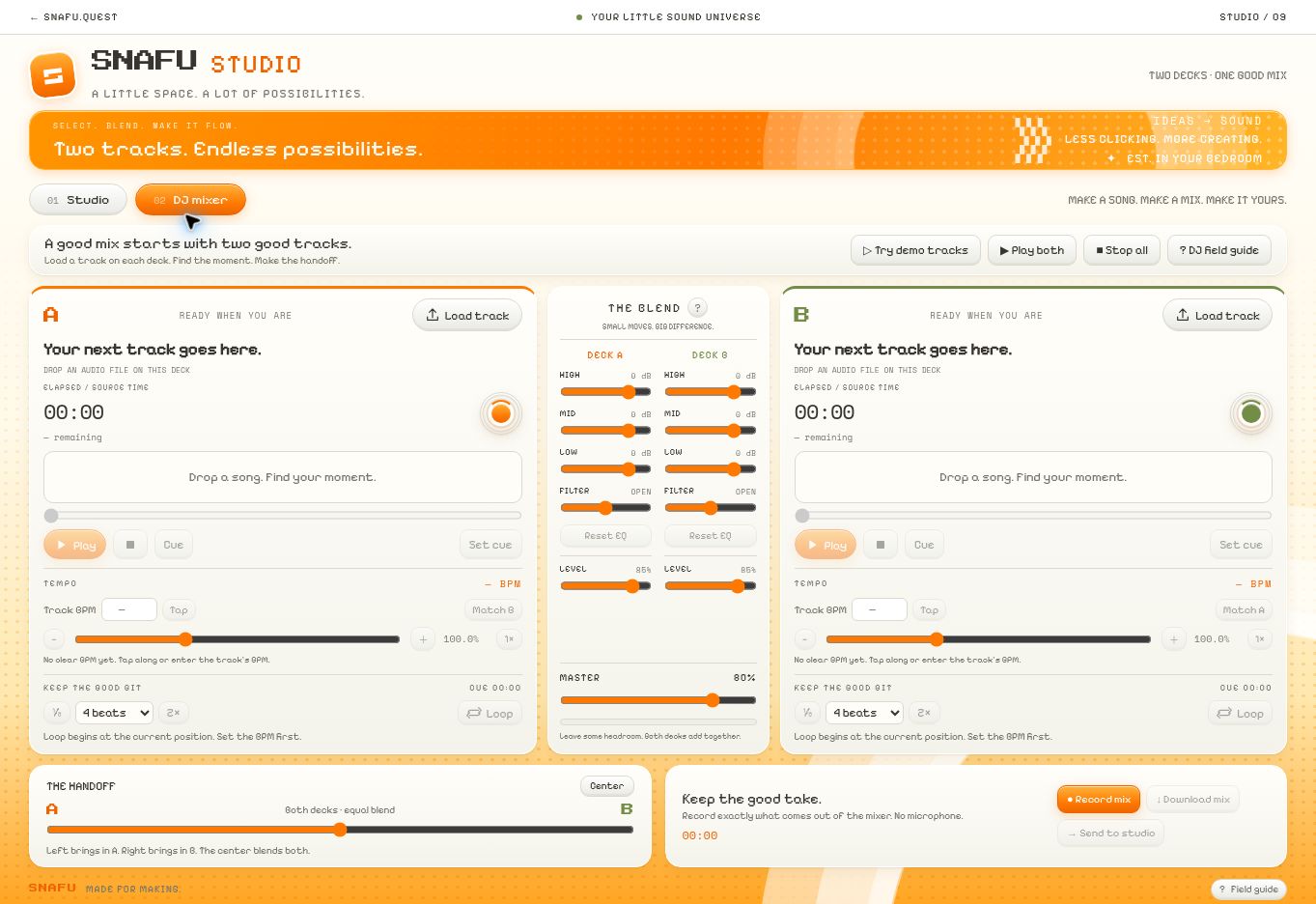
A labeled tab switches between the Studio and DJ mixer. Each keeps its own task clear.
Familiar controls
Two decks and a handoff.
The mixer exposes track loading, cue points, loops, EQ, levels, and a crossfader between decks A and B.
Help in context
Explanation where it’s needed.
Field guides and short labels explain the controls. The experience can have character without making the user guess.
Beyond music
The skill is making complicated things approachable.
The same interface skills can support a catering request, an asset library, a production checklist, or a focused internal tool.
Studio shows how I think about interfaces with real state, multiple controls, and a creative point of view. Each business tool starts with the work its team needs to do.
Talk about a tool for your businessUnder the surface
Audio, storage, and hosting.
Audio, saving & export
The browser interface uses the Web Audio API for audio processing and an IndexedDB project store in the browser. It also contains offline audio rendering and WAV-writing code for export.
Local browser storage is not a cloud backup. Recording requires microphone permission. The interface was reviewed; recording quality, export, and cross-browser reliability have not been comprehensively tested for this portfolio.
What stays local—and what may leave the browser
The source includes an isolation feature that submits audio to a server endpoint. That feature is different from local playback and editing.
Server configuration, hosting costs, and isolation results have not been independently verified here.
Screenshots show the live interface in September 2026.